
Native Settings
Your native project’s version, bundle identifier, and display name can be easily read and changed.
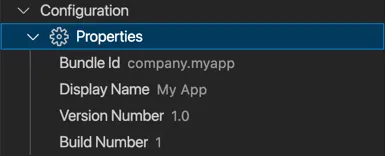
Click Configuration > Properties to change:
- Display name - The name shown underneath the icon on the home screen.
- Bundle identifier - The unique identifier for your application.
- Version number - The major and minor version number (e.g.,
2.5). - Build number - The build number usually associated with the version number (e.g.,
3).